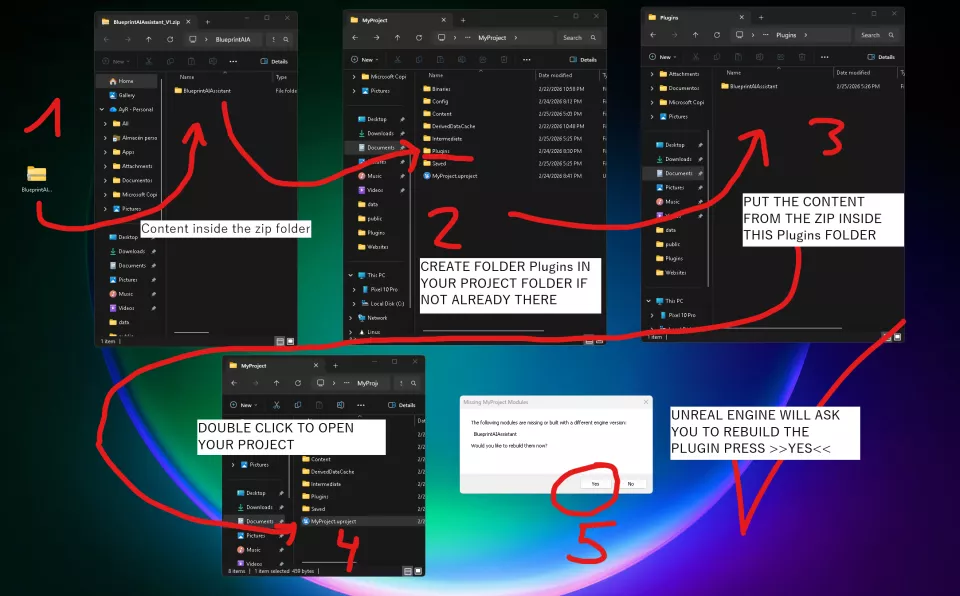
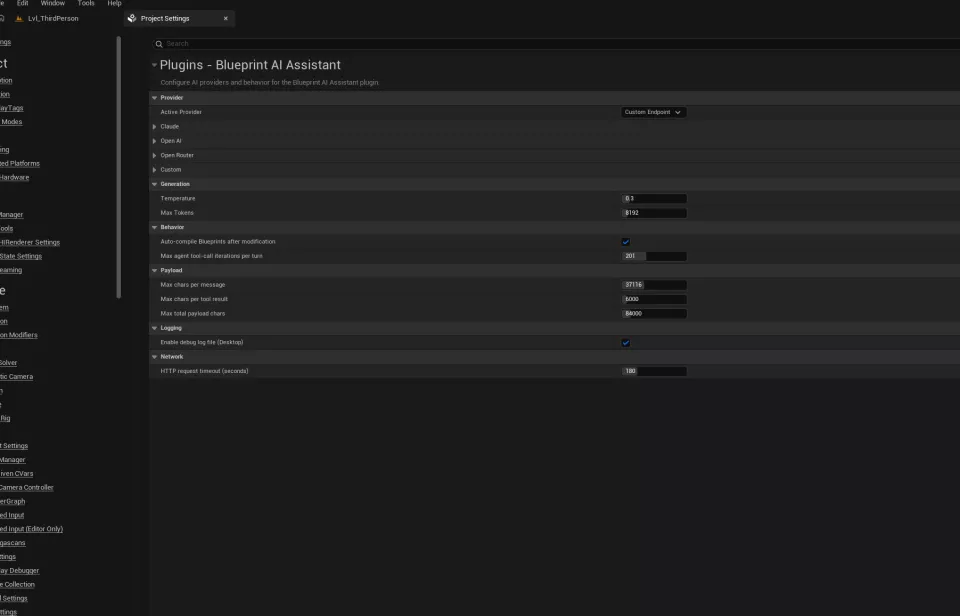
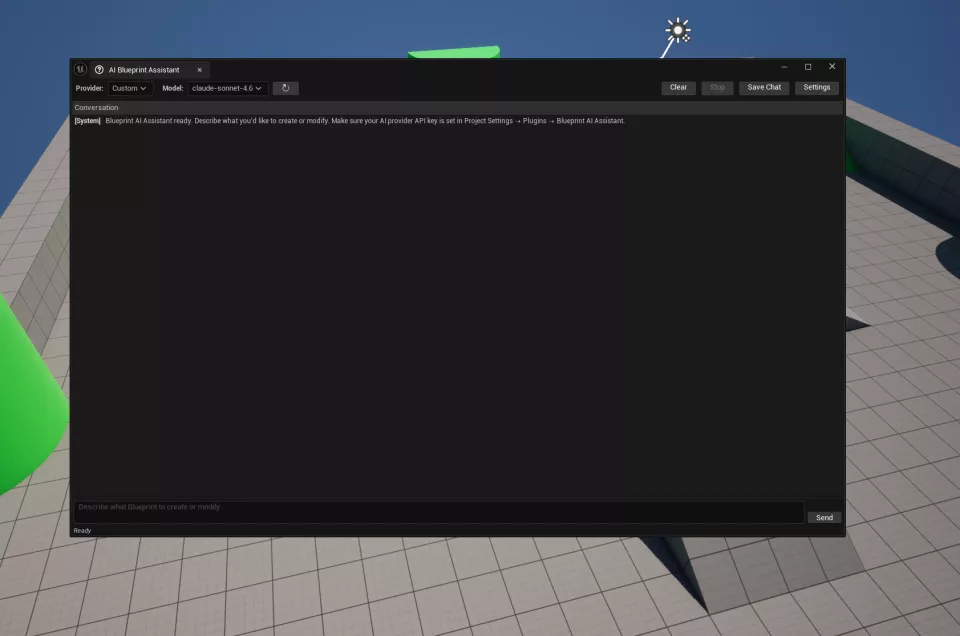
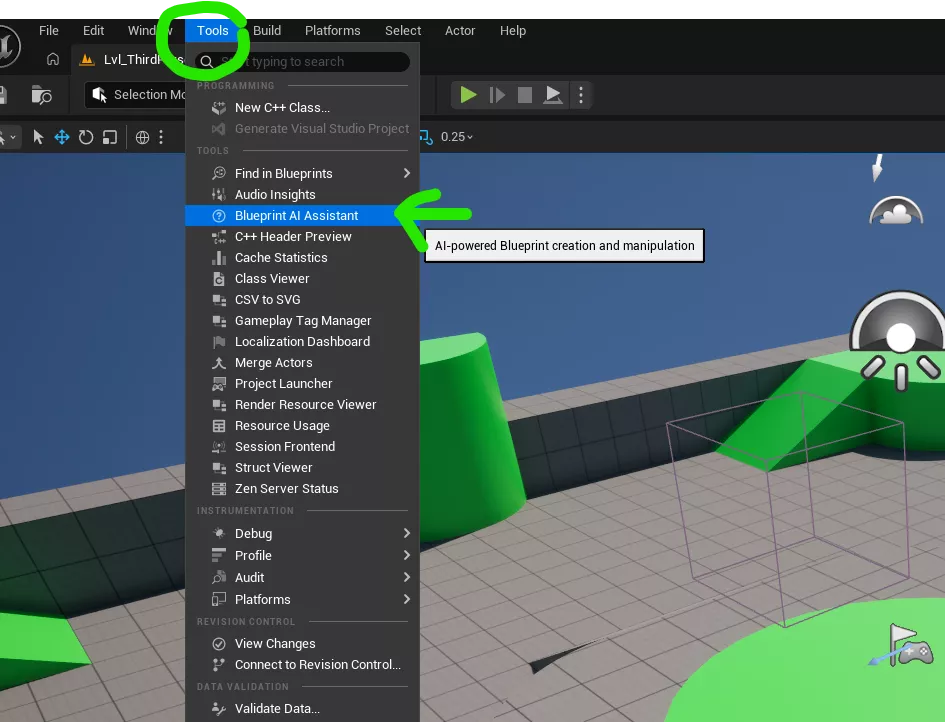
Unreal Engine BlueprintAIAssistant - AI-powered Blueprint creation and manipulation

Similar Products

GeoForgeRuntime - Block-Based Cubic World
GeoForgeRuntime gives you a ready-to-use runtime cubic terrain system for Unreal Engine 5.7. Place the main terrain actor in your level, choose a terrain preset, adjust your generation settings, and press Play to stream a block-based world around the player. The plugin is designed for gameplay-driven terrain interaction. You can dig single cubes for precise mining, remove larger radius areas for explosions or tools, preserve edits while chunks stream in and out, and save or load terrain state through built-in Blueprint helpers or your own custom save system. GeoForgeRuntime also includes optional built-in cube trees, built-in cube clouds, biome support for more varied endless terrain, configurable cave and river generation, custom actor spawning rules, and multiple material layers for shaping the visual style of your world. This makes it a strong fit for sandbox games, mining systems, survival prototypes, voxel-like exploration projects, and any Unreal project that needs editable streamed cubic terrain without building the full system from scratch.
How to Package & Sell Unreal Engine Plugins on Fab 2027
Learn how to correctly package, configure, and submit your Unreal Engine plugin to Fab using real examples from successfully published plugins. In this short course, you’ll learn how to package your Unreal Engine plugin correctly for Fab, using proven examples from plugins that have already been published successfully. We’ll cover the key plugin configurations, packaging structure, and submission basics so you can confidently prepare your product and start selling on Fab.
MatrixRainRuntime - Matrix Rain
Matrix Rain Runtime is a runtime code plugin for Unreal Engine 5.7 that lets you trigger a stylized Matrix-inspired digital rain effect directly from Blueprint. The plugin includes simple Start Matrix Rain, Stop Matrix Rain, and Is Matrix Rain Active nodes, making it easy to drop into gameplay systems, scripted events, cinematics, horror sequences, sci-fi levels, menu backgrounds, and interactive installations.

BlueprintGraphThemeSelector Custom node theme & custom background image
Take full control of Blueprint graph visuals directly from Project Settings. Blueprint Graph Theme Selector is an Editor-only Unreal Engine plugin that lets artists and developers quickly change Blueprint graph style without editing engine source or manually tweaking many editor values.

Unreal Engine Plugin Development with AI: Learn best approach to Build Your Own Plugins
If you’re constantly browsing the Unreal Engine Marketplace but find your budget holding you back, this course is for you. You’ll learn a simple, repeatable workflow to create custom plugins using a single, powerful AI tool giving you the freedom to build advanced functionality without the heavy price tag. We’ll move from basic logic to advanced plugin architecture in record time. While many developers struggle with buggy AI-generated code, I’ll show you the exact "fail-proof" approach to ensure your plugins are clean, functional, and ready for production.

Unreal Engine FollowPhotoCameras
Follow Photo Cameras is a runtime Unreal Engine plugin that lets you spawn one or more intelligent camera actors that orbit/follow a target actor and save high-quality PNG screenshots to a user-selected folder.

Unreal Engine SuperChat - Easy Multiplayer Chat
A replicated runtime chat system for Unreal Engine with distance-based, team-based, and custom channel messaging, designed for Blueprint-first workflows.
Comments (0)
No comments yet. Be the first to comment.
Please log in to post a comment.